Kimono Maker
Kimono Maker: Ancient Japanese Traditional Dress
Game by:
Doll Divine Dress Up Games
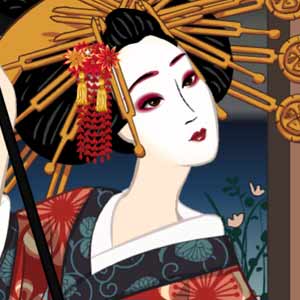
Dress up this beautiful girl in a traditional Japanese Kimono, with some modern twists. Put on the outfit layer by layer, just like a real kimono, and decorate your hair with endless kanzashi ornaments. This game was largely inspired by ancient drawings of kimono from the Edo period in Japan. Drag the items onto the girl. First, select the nagajuban, the underlayer, and zori sandals. Wrap the neck in a plain or elaborate eri. Select a gorgeous kimono, many recreations of real ancient, Japanese designs, while others designed by me. Wrap her waist in an obi sash, then it's time to decorate! Drag and drop elaborate kanzashi ornaments. Click on the cherry blossoms to cycle through both traditional and contemporary hairstyles. Click on the rainbow cherry blossoms to change the hair color. Tweak the girl's genetics, and add accessories like fans and umbrellas. Finally, place her in traditional Japanese scenes. I feel I should explain that while this free online game can be used to create geisha, it is simply a traditional kimono design game. Enjoy!
Tags:
harajuku
harajuku
Comments:
Popular Tags:
animals
anime
avatar makers
azaleasdolls
character creator
couples
disney princess
dragons
elequinoa
fairies
fantasy
fashion
girl games
gothic
harry potter
historical
LGBTQIA+
lolita
male
meiker
mermaids
my little pony
picrew
princess
rinmaru
royalty
sailor moon
scene maker
star wars
superheroes
traditional dress
vampires
victorian
wedding
see all...


About |
FAQ |
Privacy Policy |
Rules |
Webmasters
App Store | Google Play
Make Your Own Dress Up Game!
How to run Flash Player on desktop
© Doll Divine - Established 2002
App Store | Google Play
Make Your Own Dress Up Game!
How to run Flash Player on desktop
© Doll Divine - Established 2002
[linguise]